Everything since 1.3.0, the last version on this page: 1.3.1, 1.3.2, 1.4.0, 1.4.1 and 1.4.2 were built one after another and arrive here together.
A numbered list keeps its own count.
You have a list of five and want one more after the second. Enter used to give you a second "3.", and every number below it had to be fixed by hand. Now the new item is 3, and the old 3, 4 and 5 become 4, 5 and 6 by themselves.
Taking an item out works the same way. Delete it, backspace it away, cut it with Ctrl+X or clear several lines at once, and the numbers below close up.
A list that starts at 5 still starts at 5. A nested list keeps its own count, and a blank line or plain text ends the list. One Ctrl+Z takes back the new line and the renumbering together. Only the digits change, so the cursor stays where it was.
For now this happens from the keyboard. Pasting or cutting through the right-click menu and dragging text with the mouse leave the numbers alone.
The manual opens from the program: F1.
F1, or the book button on the toolbar between Settings and About, opens the user manual in your browser, in the language of the interface. It is now two pages, English and Russian, built from pictures of the program itself. The numbers on each picture point at the parts, and the list under it says what they do. There is a search box too. The manual sits in the "manual" folder next to FuryNotes.exe, so you can open it or send it on without the program.
A note opens where you left it.
Leave a note half-read, look at another one, come back, and you are on the same line instead of at the end. Anything you had selected is still selected. FuryNotes remembers the place for every note you open while it is running.
Folders from elsewhere, right in the tree.
Documents that live in someone else's folder, such as a project's papers or a shared drive, can now go on the tree without being copied in. Right-click the tree, choose "Connect an external folder…", give it a name, and its .md and .txt files appear as one list you can read and edit in place. FuryNotes writes nothing into that folder.
"What to show from this folder…" lists everything in it with a tick box, so you can clear them all and tick the few you need. A single unwanted file is quicker to drop from the tree with "Hide from this folder". Anything that lands in the folder later shows up by itself. Ctrl+F finds these documents too, and earlier copies of their text are kept in your own notes folder.
Read the folder again: F5.
Drop a .md or .txt file into the notes folder from Explorer, from a download or from another program, and the ring button at the end of the top row (or F5) brings it into the tree. It also re-reads the open note if its text was changed from outside. Whenever you switch back to FuryNotes from another program, the tree is re-read by itself.
The date comes with the time, and with a button.
Ctrl+Shift+D now writes the date and the time, to the second: 2026-09-27 14:05:31. Two entries made on the same day no longer look like one. The calendar button at the end of the second toolbar row does the same thing with the mouse.

First public release. Your everyday Windows sound and microphone settings in one window in the tray by the clock: microphone and output, volume in decibels, a volume mixer across all devices, hotkeys, walkie-talkie mode, Undo and a way back to the original sound settings. Manual in English and Russian (F1).


First public release.
A script shelf with labelled buttons in collapsible rollouts and a profile per project; floating or docked to Maya on the left or right; favorite folders with open, save, import and export; and a recent files list.
Checked in seven versions of Maya: 2019, 2020, 2022, 2023, 2024, 2025 and 2026. The archive holds the manual in English and Russian and a ready line for a shelf button.

A release about the small things that eat time every day, and a new user manual.
The pointer in the picture.
"Capture the mouse pointer" - on the Capture tab of Settings and in the tray menu. The pointer goes into the picture where it stood, in all five kinds of capture. Off to begin with.
Favorite folders in the save window.
Star a folder and it moves up into Favorites, where no new folder will push it out. "Remove from the list", the Delete key or a right-click drops a line; the folder on the disk stays put. Fifty folders are remembered instead of thirty, shared by both lists. A favorite on a drive that is not plugged in is shown greyed out.
Searching the folders.
A search field above the list keeps only the folders whose path has every word you type, in any order. You can type right on the list. The first Esc clears the search, the second closes the window.
- The save window remembers its size, and which list the last picture went into.
The eye brings the cover back over the whole screen.
It used to lead to the ordinary window, which then had to be arranged again. The choice is on the Toolbar tab, "What the eye brings back". F10 and Esc in see-through mode do the same.
A restart in one click.
"Restart BackDrop" in the tray menu, and a "Restart now" button under the language choice.
A new user manual.
Two pages, English and Russian, window pictures with a callout on every button, and a search. It opens on F1, from the tray menu and with the "User manual" button in the ordinary window, and lives in the manual folder beside the program. Checked against the program line by line.
Fixed.
The Windows 11 taskbar no longer turns darker in see-through mode. A text caption lands exactly the size it was in the box. Colour names and the panel place picker are translated into Russian. Turning on autostart from the tray no longer announces that it worked.

First public release.
A waveform above the time slider, frame-for-frame with Maya; syllable scrubbing; up to eight tracks; a sound library window; editing with fades and cross-fades; volume and balance curves; export to WAV and MP3; a playblast with sound; and a Project Manager that carries the scene to another computer together with its sounds.
Checked in seven versions of Maya: 2019, 2020, 2022, 2023, 2024, 2025 and 2026. The archive holds the manual in English and Russian and two posters.

The headline of version 1.20: sound you can see, and notes you can leave right on the frame. A waveform runs over the picture, an external track can be attached to a silent playblast, and captions on the frame live as objects you can edit at any time.
Waveform over the frame
A strip with the sound at the edge of the picture: the playhead runs along it, and hits and syllables are visible at a glance. The wheel zooms into the part you need and sets the In/Out segment, and the middle button drags the zoomed piece left and right.
Separate audio track
WAV, MP3 and other files instead of the embedded sound: attach a voice-over or music to a silent playblast without a video editor, with a frame offset. The track is saved in the project and goes into exports.
Text on the frame — a new text editor
A caption lives on its frame as an object: fonts with live preview, ready-made and custom styles, outline, backing, shadow, text in a frame that fits its own size, and a Make it readable button that picks the look from the frame underneath. A caption stays editable at any time — even a week later.
Curve Speed got friendlier
The wheel zooms into a part of the curve, Ctrl+wheel stretches the speed scale, the middle button pans the graph. The Zoom sets In/Out box ties the zoom to the segment when you want it. A key on the playhead line can now be selected, moved and deleted.
Playlist order
Reorder files by dragging and sort them by name — the review queue and the sequence come together in seconds.
Also in this release
Proper arrows on drop-downs and number fields, readable tooltips, buttons that keep their shape, Maya tools verified in every Maya 2019–2026, and an updated interactive manual in English and Russian.
The update is recommended for all users of version 1.19.

Version 1.19 grew out of feedback from 1.18 users. The headline feature is viewing several clips as one: select shots in the playlist and review the edit and the cuts between them, just like in RV — all the way to exporting the sequence as a single file. Alongside it come scrub audio for lip-sync, hotkeys for every drawing tool, settings that no longer reset, and a new visual HTML user manual.
Clips as one sequence — like in RV
Check the edit without assembling it in a video editor.
- Select clips in the playlist with Ctrl or Shift and press the As one sequence button at the bottom of the playlist. With fewer than two selected, the whole playlist goes in, in playlist order.
- One timeline for the whole sequence: cuts show as yellow ticks, frame numbers run straight through, and the current clip's name appears right on the frame (the N button).
- Shift+→ and Shift+← jump to the next and previous cut. Playback, Loop, In/Out points, scrubbing and scrub audio all work across cuts.
- Clips can differ: another resolution is letterboxed, a clip without sound plays silence, and variable-frame-rate screencasts stay in sync. A clip with a different fps is conformed to the sequence — the program warns you.
- Drawings and bookmarks are remembered per clip and its own frame: reorder the clips or open a clip on its own — the annotations stay in place.
- The sequence is saved into the .fcmd project with the position and segment. If a clip has gone missing from disk, the sequence is rebuilt from the rest.
- The sequence runs in the Normal mode; Split, 2x2 and other modes close it. Turn the button off and the clip under the playhead stays in the player, on the same frame.
Exporting a sequence as one file
Send the edit for review as a single video, not a pile of files.
- The regular Export (Ctrl+E) in sequence mode renders the In/Out segment across every cut into one MP4 with the sequence audio.
- The frames are exactly what the player shows, at the first clip's resolution.
- A JPEG sequence is numbered by sequence frames.
- Cancel stops the export and deletes the unfinished file.
Scrub audio for lip-sync
Hear a frame's sound when you move through the video by hand.
- The sound-wave button next to the volume, or Shift+S: every frame step plays a short slice of that frame's audio.
- It sounds when stepping with the arrows and dragging on the timeline or right on the frame; normal playback, jumps and bookmark navigation stay as before.
- Right-click the button to choose the slice length: 1, 2 or 3 frames.
- Works in Normal, Split and 2x2 modes (the active panel is voiced); the switch is shared and remembered. Off by default.
Hotkeys for drawing
Annotate without trips to the toolbar.
- 1–8 — pencil, vanishing ink, line, arrow, rectangle, circle, triangle, text. A digit turns drawing on by itself.
- "-" and "=" — line width or font size.
- Delete clears the frame's annotation immediately, without a prompt; Shift+Delete clears all frames, with confirmation. Both can be undone with Ctrl+Z.
- Button tooltips show the current keys; every key can be reassigned on the Hotkeys tab.
Stability and convenience
- Settings no longer reset. The settings file moved to the user profile folder (%APPDATA%\FramesCommander): it is always writable, even when the program sits in Program Files, and a new version unpacked in place of the old one picks up your hotkeys. Old settings migrate automatically on first launch. A failed read no longer wipes the settings.
- Per-file bookmarks, just like drawings. Come back to a file in the playlist — its bookmarks are where you left them.
- Undoing Clear All works again: annotation cleared from every frame comes back with Ctrl+Z.
- Undo doesn't mix files up: after switching files, the previous file's undo steps are no longer applied to the new one.
- A new manual. An interactive HTML guide with annotated screenshots, step-by-step instructions, text search and sections for every mode. The Russian edition is ready; the English one is in progress.
The update is recommended for all users of version 1.18.
First release.
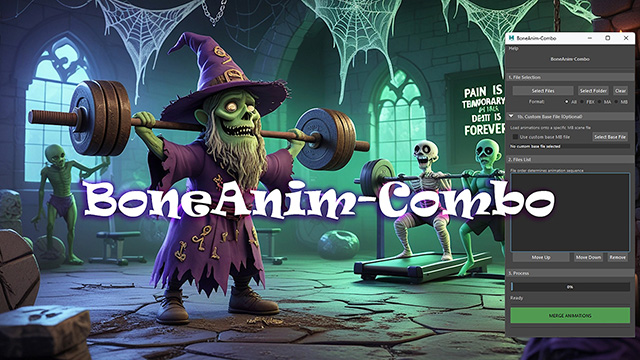
The tool lays an FBX animation library out in a single Maya scene — clip after clip along the timeline — and keeps the list of what is loaded in the scene itself, together with frame ranges and source paths. From there any clip goes back out into its own file, bones only or with the geometry.
A copy is kept before every overwrite, and any version can be restored. A file flagged read-only is never overwritten silently.
Checked in seven versions of Maya: 2019, 2020, 2022, 2023, 2024, 2025 and 2026 — from Python 2.7 with PySide2 through to Python 3.11 with PySide6.

Nearly all of this release grew out of one message. Someone built a note full of links to files on their own disk, ran into a few rough edges, and wrote in about them. Here is what came of it.
The program keeps earlier versions of your text.
A note here saves itself, so there is never a "did I save that?". For the same reason there was never an unsaved version to fall back on either: delete a paragraph, look away for a second, and it is gone from the file; close the program and the undo stack goes with it. FuryNotes now quietly puts copies of the text aside.
When a copy is taken: — before you start changing a note. The first keystroke after you open it is the last moment the old text exists anywhere, so that is when the copy is made. Merely opening a note and reading it copies nothing — otherwise one pass through the library would leave a copy of everything you had glanced at; — while you write — at most one copy every ten minutes; — the moment a note is deleted, whatever the clock says. Delete a folder and every note inside it is copied.
Getting one back: right-click any note or folder in the tree → "History…". On the left is every note that has copies kept, deleted ones included — they are marked, and they come back exactly the same way. On the right are its copies by date and the text of whichever you pick, so you can be sure you are taking the right one. "Restore this copy" writes it back into the note.
Restoring destroys nothing. What the note says right now is kept as another copy first, so a restore can itself be undone. A note that is gone altogether is written back where it used to live.
The copies are ordinary text files — no database, no format of our own. They sit in a ".furynotes-history" folder beside your notes and mirror them: "Work\ideas.md" has its copies in ".furynotes-history\Work\ideas.md\", one file per copy, named by the date and time. Explorer and Notepad open them; FuryNotes is not needed to read them. Same rule as the notes themselves being plain .md files: a lifebelt only one program can open is a poor lifebelt.
Twenty copies of each note are kept, and older ones drop off as new ones arrive. A copy identical to the previous one is never written — change nothing and nothing is put aside. A renamed or moved note takes its copies with it.
This does not replace the Recycle Bin. Deleting still sends the file itself to the Windows Recycle Bin, and that is the first place to look. The copies are for the day the Bin has been emptied.
All of it can be switched off: settings → "Keep earlier copies of the text". It is on as the program ships, because a safety net nobody switched on is not a safety net.
Search finds a note by its name, not only by its text.
Ctrl+F now matches what a note is called as well. Those matches come first, on a row of their own: the name itself is highlighted, and a line of the note is shown underneath for context. Enter opens it at the top and highlights nothing — what matched was not a word inside the note but what the note is called.
There is nothing to switch: names and text are always searched together. A note still on its date-stamped filename is called by its first line, in the tree and in the search alike, so looking for that finds it either way.
A disagreement was fixed on the way. The search used to label a result with the note's first line even when the note had been given a name — a note called "Shopping" read as "Shopping" in the tree and as its first line in the search. Both lists now call it the same thing.
Renaming, with a double click.
Double-click a note and its name opens for editing right there in the row. Enter keeps the new name, Esc leaves it as it was. F2 and right-click → "Rename" do the same thing, for a folder as well: a folder was already edited in its row while a note needed a separate little window, which made the commoner of the two the slower one.
Double-clicking a folder still opens and closes it — that gesture is taken there and stays as it was. Rename a folder with F2 or the menu.
A rename still carries the pin, favourite, colour and icon over to the new name — and now the kept copies of the text as well.
A link says how to open it.
A link opens on Ctrl+click. It always did, but there was nowhere to learn that: the address is hidden, so on screen a link is just a coloured word. The person who built a page of local links concluded they simply did not work.
Now: rest the pointer on a link and a tooltip shows where it points and reminds you about Ctrl+click. Or right-click it — "Open link" is the first thing on the menu, above Cut.
Fixed: stars inside a link.
Ctrl+B on a word inside a link wrote two pairs of stars, and they stayed there in the middle of the line — the word never came out bold. And if you started removing them by hand it was easy to catch the closing bracket, at which point the link stopped being a link and its address showed up in plain sight.
The cause was that a link swallowed its own label whole, so formatting inside it was not recognised at all. It is now: Ctrl+B, Ctrl+I and Ctrl+Shift+X work on a link's words like anywhere else, and the stars hide themselves as usual. The address is still protected — underscores and stars inside a path do not format anything.
Smaller things.
Renaming a folder no longer breaks Favourites for the notes inside it. Before, those shortcuts pointed at nothing afterwards and quietly dropped off the list.
The manual (docs\manual) has been updated: a new "Note history" section, additions to "Links", "Search" and "Renaming", and a 1.3.0 card in "What's new".
First public release. A full scan of 1484 combinations, the owner named wherever it can be established, the keyboard map with the taken keys highlighted, freeing and reassigning shortcuts with an undo, catch mode, a warning about combinations a closed program will claim back, and export to CSV and to an image. Russian and English, switched on the fly.

Over five versions BackDrop stopped being only a cover: it now photographs the screen as well — five ways to capture, each on its own system-wide key, and every one of them works while the program is nowhere to be seen. It lives in the tray, comes up with Windows and speaks Russian as well as English.
Five ways to photograph the screen.
Settings, Capture tab. Each way has its own key field and its own line in the tray menu:
- Alt+1 — a piece of the screen, a frame you drag by hand
- Alt+2 — the window in front
- Alt+3 — the screen under the pointer
- Alt+4 — every monitor at once, in a single picture
- Alt+5 — the area you set aside, a frame left standing on screen
The keys are yours to change, and any of them can be left empty. The key is registered with Windows itself, so it answers over any program and with BackDrop away in the tray: take the picture, save it, and the program never showed itself at all.
A piece of the screen, framed by hand.
Alt+1 freezes the screen, so a notification that pops up or a video playing below cannot spoil the shot halfway through. Drag the frame, adjust it by its corners and sides, move the whole thing, or start again by dragging outside it. Three buttons sit under the frame: copy (Enter or Ctrl+C), save (Ctrl+S), close (Esc). The screen is no longer dimmed while you frame — all that is left is the dashed border, the white handles and the size of the selection in pixels.
Marking up the picture before it leaves.
The bar under the frame carries a set of pens: freehand, line, rectangle, circle, arrow and text, with a colour swatch, undo and a wipe beside them. An arrow and a caption can go on before the picture goes anywhere: what you see drawn is exactly what reaches the clipboard or the file — the ink is clipped to the frame. A minus and a plus set the size: line width 1 to 20 with a pen or a shape, font size 8 to 72 with the text tool; hold a button down and the value walks the range. The colour and the width here are the same pen as the one on the canvas, and the choice survives a restart. A tool in hand takes the mouse; a second click on it, a right-click or Esc puts it down and hands the frame back.
Quick captures: the window, a screen, every screen.
Alt+2, Alt+3 and Alt+4 ask nothing at all. The file goes straight into the folder named on the Capture tab, under the name and format you chose, with the next number that name has not used — no frame, no dialog, and deliberately no word of confirmation: a message after every capture wears out its welcome by the tenth one. The window in front is cut to what the window actually draws, without the invisible border Windows keeps around a resizable window — the strip of desktop around every shot is gone. Every monitor comes out as one picture, laid out the way the screens sit on the desk. The tray menu grew a Capture submenu listing all five with the key each answers to, plus entries that open the pictures folder and put the path of the last picture on the clipboard.
The area you set aside (Alt+5).
An area you set up once and photograph as many times as you like. The first press puts a frame on the screen; every press after that takes what is inside it. Draw it once around the thing you keep needing a picture of — a log window, a viewport, a corner of a chat — then go back to work, and the key takes the same rectangle every time. The middle of the frame is see-through: clicks inside land in whatever you are actually working in, and only the border and the bar above the frame take the mouse. The bar shows the size of the picture to come and carries two buttons — the camera takes it, the x puts the area away, and the x asks first. The border is drawn outside the piece being photographed, so the frame is never in its own picture and the screen does not even flicker. Where the frame stood is remembered: put it away, ask for it again, and it comes back to the same place — and it comes back on its own at the next start, if that is how you left it.
The name, the number and the folder.
The name and format of saved pictures live on the Behavior tab: "screenshot" to begin with, PNG or JPG, and JPG quality is a setting now instead of a number baked into the code. A new picture takes the number after the highest, not the first free one — in a folder that had had pictures deleted out of it, the newest file used to land in the middle of a listing sorted by name, which looked exactly like a capture that had not happened. The checkbox "Say in the name what the picture is of" gives each kind of capture its own word and its own count — screenshot_front_app_1, screenshot_scr_1, screenshot_allscrn_1, screenshot_area_1, screenshot_region_1 — so the kinds stop interleaving in the folder. Off to begin with; turning it on leaves saved files alone. A name the folder already has is now a proper question: replace it, keep both, or cancel. Keeping both writes "name (2).png" beside it, Explorer style.
The save picture window.
The save button — on the toolbar and under the selection frame both — remembers the last thirty folders and shows them as a list in a window of its own. A double click on a folder, or Enter on the selected line, writes the file there under the automatic name; "Browse..." opens the ordinary file dialog for a folder that is not on the list, or a name of your own. The window opens centred on what is being saved, and it is not modal, so the frame behind it can still be adjusted without closing the question: the picture is cut when you pick the folder, not when you press the button. A folder on a drive that is not plugged in today simply drops off the list. Ctrl+S still goes straight to the file dialog.
The picture, or a link to it, on the clipboard.
A saved picture can leave one of two things on the clipboard: the picture itself, for pasting into a chat, or the path to the file it just wrote, for pasting a link where the pixels will not go. Never both — there is one clipboard, and a picture put on it would wipe the path, so the two checkboxes in Settings clear each other. It holds for every save now, however it was asked for: a quick capture on its key, a folder picked in the save window, or the file dialog.
Living in the tray.
While BackDrop is running it keeps an icon in the notification area. A left click puts the program away, or brings it back exactly as it was: the same mode, the same drawings, the same place. A right click opens the menu: show or put away, see-through mode, the captures, the pictures folder, the path of the last picture, start with Windows, Settings, About, and Quit — the one way out for good. The x on the floating palette puts BackDrop in the tray without ending it, and the window's own close button does the same; the checkbox for that is on by default, and clearing it makes the button end the program as it used to. Starting the program twice is now hard to do: a second launch wakes the copy already running and bows out.
Starting with Windows.
The Startup tab, "Launch BackDrop when I log in". No administrator rights are needed, the entry shows up in Task Manager alongside every other startup program, and clearing the checkbox removes it. On the same tab, what the program greets you with: the palette in see-through mode over a live desktop with clicks passing through (the default), waiting in the tray with nothing on the screen at all though the capture keys still work, or the ordinary window for anyone who wants the old start. That choice used to apply only to an automatic start; it applies to every start now.
Hotkeys of your own.
The field catches whatever you press, and Clear leaves a capture mode with no key at all. A combination needs at least one modifier — a bare letter would be taken away from every other program on the computer; PrtSc and Pause are the exceptions. If another program already holds the combination, BackDrop says so: a line with the reason sits under the field on the Capture tab, and the tray menu writes "key taken" beside the mode. Such a key used to say nothing — it looked like a working one in Settings and simply did not appear in the menu.
A Russian interface.
The whole program speaks Russian: windows, settings, tooltips, the tray menu — and the user manual comes in both languages. The language is picked on the Behavior tab and takes effect at the next start. It is a written translation rather than a literal one, with the program and the manual agreeing on the same words throughout.
Fullscreen leaves the taskbar alone.
The window used to fill the whole monitor, and Windows answered by taking the taskbar off the screen. BackDrop now covers the work area — everything but the taskbar: the clock, the tray and the way to your other programs stay in sight. What gets hidden is the desktop, not Windows itself. The floating palette stopped jumping along with it: the restore-window button now stands on the palette in both modes, both modes measure the palette's parking place with the same ruler, and a palette parked at the bottom stops just above the taskbar instead of lying over it. The Toolbar tab gained an "Edge gap" slider, 0 to 20 pixels.
Silence when it worked.
A save and a copy no longer announce themselves. The file is in the folder and the picture is in the clipboard; a message on top of that is one more thing to read and one more thing that can land in a recording, which is what the program is for. What is left speaks only when something failed or was refused.
Fixed.
- The save button under the selection made the screen flash and did nothing else: the list of recent folders was a drop-down menu, and the menu closed itself the same instant. It is a window now.
- Turning down the save dialog cost you the whole selection — the frame closed before the dialog opened. It now comes back with the selection intact.
- The capture key fired over an open dialog too. The frame then took neither clicks nor Escape, and the only way out was the task manager.
- Pressing the key twice made two frames on top of each other and left a still picture on the screen that answered to nothing.
- Quit in the tray menu ended the program instantly, without asking — the cover vanished, and the session's drawings with it.
- A minimized window would not come back from the tray: a click on the icon offered to put the program away rather than show it.
- Two copies launched at the same moment both carried on — two tray icons and two writers to one settings file.
- With no notification area on the desktop, the program hid into nothing: no window, no icon, no way to get it back.
- A capture picked from the tray menu could catch the menu itself: it was dismissed, but the screen underneath had not been redrawn yet.
- In see-through mode the folder-picking window made it into the saved picture.
- The Russian interface translated the author's signature in the window title; it is "(by e.ov)" everywhere now.
The About window has been rewritten — it still described the program as a cover and nothing else. The user manual is updated for 1.6, with new sections on the captures, on marking up a picture, on the area you set aside, on the file names and on the new backdrop.ini keys.
Icons for notes.
A note can be given a picture, and it stands in front of its name in the tree. Fifty-odd to choose from: an aeroplane, books, a guitar, a lightbulb, a rocket, a heart, smileys, music notes, a calculator and so on. The point is simple — in a column of similar names the eye finds a shape faster than it reads words. Right-click a note → "Icon", then the grid; one click and it is there. "No icon" in the same menu takes it off. The icon belongs to the note: rename it or move it to another folder and the icon goes along, the way a colour and a pin already do. It also travels to another computer — only the icon's name is kept beside the note, and the picture itself is inside the program at both ends.
A colour of its own for each icon.
Under the grid are ten neon colours. The one you pick paints that icon, not all of them, so you can tell things apart: work in blue, home in green, urgent in red. "Default colour" puts it back. The colour knows about the theme. What is stored is really the hue, and how light to draw it is worked out again for the background in use. That is why the same note looks right on the dark theme and on the light one — a vivid yellow-green that glows on black would otherwise simply vanish on white.
Neon and a glow, if you want them.
Two tick-boxes in the settings. "Neon note icons" paints every icon that has no colour of its own in your accent colour. "with a glow" lights a halo around them — the neon outline itself. Both are off as the program ships: this is a taste, not the way the program has to look. The glow is drawn into the empty margins around the icon, so not one name in the tree moves by a single pixel.
Back and forward, like a browser.
Two arrows on the toolbar, and Alt+← / Alt+→, walk the notes you have already opened. The side buttons on your mouse do the same. The trail follows the notes rather than the files: a note that has since been deleted is not a dead end — that step is skipped and the next one taken — and a renamed note keeps its place in the chain. An arrow with nowhere to go is drawn faded, so you can see at a glance whether there is anything behind you.
You can see which note is open.
A caret now stands in front of its row and its name is a shade brighter than the rest. Before this, coming back to the program meant working out where you had left off. A pinned note keeps its bookmark at the same time — the marks no longer push each other out.
Two gestures on a folder instead of one.
The folder's icon opens and closes it, the name only selects it, and a double click on the name opens it. Before, a click anywhere on the row toggled the folder, so it could not be chosen as the place for a new note without flapping open on the way. Two vertical stripes down a selected row went at the same time: one was ours, the other was Windows painting its own accent colour, which answered to nothing in the theme.
A new manual, one for everything.
Instead of a stack of per-version documents there is now a single page: docs/manual. English and Russian switch with a button, and it has contents down the side and a search across the text. A "What's new" section carries a card per version, so a minute is enough to see what has appeared since you last updated. And the formatting section opens with a cheat sheet: one picture showing every kind of formatting at once, where each line names the keys that made it.
Smaller fixes.
Toolbar buttons that cannot be used now look switched off — before this, a "Back" with nowhere to go was as bright as a working one.
BackDrop hides your desktop behind a plain colour or a picture while you stream, record a lesson or give a presentation, so icons, documents and personal folders never reach your viewers. Draw over the cover like on a classroom board, or right over any running program - no screenshot needed.


Format several lines at once.
You can now select multiple lines and make them bold, italic, strikethrough or monospace in one go. Before, this worked on a single line only.
"Keep on top" mode.
A new toolbar button — right of the one that hides the note tree — keeps the window above all others, so your note stays in view. Press it again to turn it off. The state is remembered until the next launch.
"Update" button.
A button in the top-right corner opens the versions page in your browser, so you can check for a newer version in one click.
Links now reach your own computer: turn any word into a shortcut to a local file or folder that opens on Ctrl+click (with a prompt before it runs a program). Making web links is simpler too — a typed or copied address becomes clickable in one step. And now only one copy of the program runs at a time: launching it again brings the open window back, so two copies can't overwrite your notes.
FuryNotes is a fast, distraction-free notepad for Windows with one breakthrough idea: there is nothing to save and nowhere to lose. Every note becomes a real file the moment you start typing and saves itself automatically — no Save button, no "where should I put this?" dialog. Your notes stay yours: they'replain Markdown text files you can open anywhere, wrapped in a clean, dark, beautifully formatted editor with folders, links, and instant search across everything.
Auto-play on File Open Videos now automatically start playing when opened from Windows Explorer or after export. Playlist Position Memory When switching between files in playlist, your playhead position and in/out points are now remembered. Playlist States Saved to Project In/out points and playhead positions for ALL playlist files are now saved with the project.
Version 2.0: task dependencies with visual links, focus mode for chains, custom statuses with any colors, tag system, flexible columns with dropdowns, cross-track task movement, task cloning, Maya-style navigation, floating filter windows, enhanced Excel export.


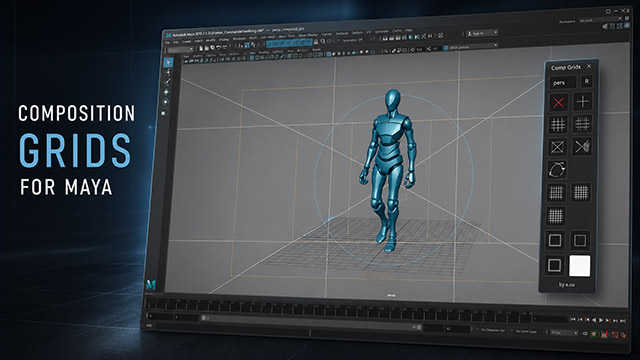
Auto-fit window to video size, Smooth video scaling, Open file location, Auto-open folder after export, Auto-play after export, Image Mirroring, Playback Speed Control, Curve Speed — Speed Curve Editor, Maya Integration — Retiming Export,
Multiple viewing modes including split-screen comparison, 2x2 grid for viewing up to 4 videos simultaneously, and video layers with adjustable opacity. Includes two-way Maya synchronization, drawing tools for on-frame annotations, professional composition grids, and Overlay Pro mode for floating references over any software.